Transcript timestamp formats: a practical reference
Choose readable transcript timestamps, compare them with SRT, WebVTT, YouTube chapter and SMPTE formats, and convert seconds to any of them.
Try audio transcription free, in your browser →
A transcript timestamp tells the reader where a passage begins in the recording. For a recording under an hour, [02:15] is the most readable convention; for anything longer, write [01:02:15] everywhere so every stamp has the same shape. Subtitle files are stricter: SRT writes 00:02:15,000, WebVTT writes 00:02:15.000, and both need an end time as well as a start. Whatever you choose, state it once at the top of the transcript.
Every common format, one moment
The same moment — 1 hour, 2 minutes, 15.5 seconds into a file — in each format you are likely to meet:
| Where it is used | Written as | Notes |
|---|---|---|
| Reading transcript, short file | [2:15] or [02:15] | Minutes and seconds; fine while the file is under an hour |
| Reading transcript, long file | [01:02:15] | Hours always present, so every stamp lines up |
| SRT subtitle cue | 01:02:15,500 --> 01:02:18,000 | Comma before the milliseconds; start and end required |
| WebVTT subtitle cue | 01:02:15.500 --> 01:02:18.000 | Full stop before the milliseconds; hours may be omitted under an hour |
| YouTube chapter | 1:02:15 Budget discussion | In the video description; the first must be 00:00, at least three in ascending order, each at least 10 seconds long |
| Broadcast / editing timecode (SMPTE) | 01:02:15:12 | The last field is a frame number, not hundredths of a second |
| Plain seconds (data, APIs) | 3735.5 | What most tools store internally |
Two traps account for most broken files. The first is the separator: an SRT time with a full stop, or a WebVTT time with a comma, is a different format, not a typo the player will forgive. The second is the SMPTE frame field: 01:02:15:12 at 25 frames per second is 12/25 of a second, which is 0.48 seconds — not 0.12.
Convert seconds to any of them
Most recorders, editors and speech engines report positions in seconds. The converter below turns a number of seconds into the reading, SRT and WebVTT forms. It runs in this page.
The arithmetic, if you need it in a spreadsheet: hours = INT(s/3600), minutes = INT(MOD(s,3600)/60), seconds = MOD(s,60). In Google Sheets or Excel, =TEXT(A1/86400,"[hh]:mm:ss") formats seconds in cell A1 as a duration.
What AudioMoo writes, so you know what to expect
AudioMoo’s free web tools stamp each paragraph with its start time in the reading view, as minutes and seconds (0:00, 1:24), and add hours once a file passes the hour. A new paragraph starts at a pause of about a second and a half, or after roughly 40 seconds of continuous speech, finishing the sentence first — so stamps arrive at natural breaks rather than at fixed intervals. The Timestamps switch hides them for a clean reading copy.
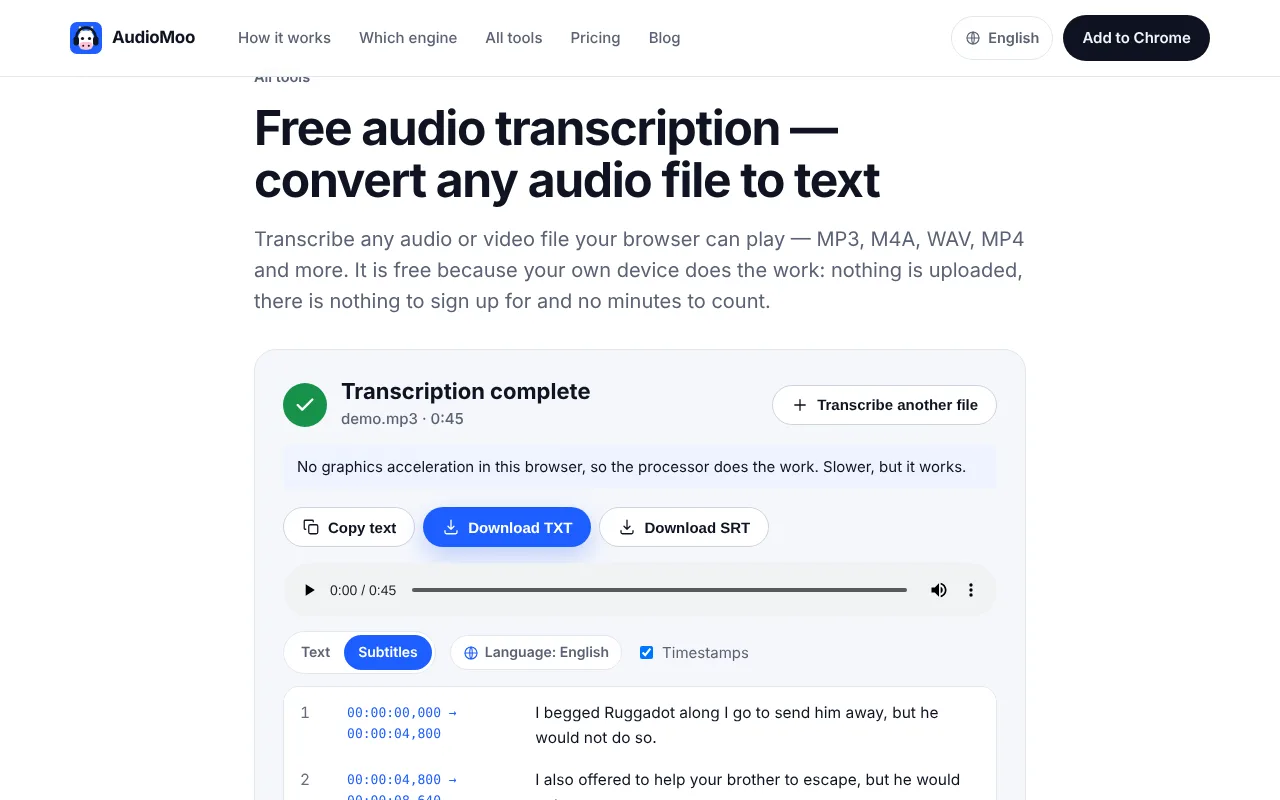
The subtitle view and the SRT and VTT downloads use full HH:MM:SS,mmm and HH:MM:SS.mmm timecodes with an end time for every cue. This is the same recording in both exports, straight from the tool:
2
00:00:04,800 --> 00:00:08,640
I also offered to help your brother to escape, but he would not go.
WEBVTT
00:00:04.800 --> 00:00:08.640
I also offered to help your brother to escape, but he would not go.The sample is from a public-domain audiobook recording (LibriSpeech, CC BY 4.0) we use for tests.
Decide where timestamps belong
How often to stamp depends on what the reader will do with the transcript:
- Interviews and research: at every speaker change, or at the start of each answer. Readers quote and code answers, so they need to find each one.
- Lectures and talks: at each change of topic. A stamp every few minutes is enough; finer stamps mostly add noise.
- Meetings: at each agenda item, and next to every decision or action you will put in the minutes.
- Legal or evidential use: follow the rules you were given. Some ask for a stamp at fixed intervals (for example every 30 or 60 seconds) regardless of content.
- Quotations: whatever the general rule, put a stamp immediately before any passage someone is likely to quote.
You do not need to stamp every sentence to make a transcript useful, and stamps on every line make it harder to read.
Write down what your time refers to
“Elapsed from the start of the original file” is the safest basis, and the one recorders, editors and speech engines all use. Two other bases cause trouble if they are mixed in:
- Wall-clock time (
14:32when the meeting started at 14:30). Useful in minutes, misleading in a transcript, because nobody can jump to 14:32 in a media player. - Edited-file time. If you trim ten minutes of setup from the start of a file after transcribing it, every stamp in the transcript is now ten minutes late for the trimmed copy.
Put a line like Time: elapsed from the start of interview-07-original.m4a in the header. The transcript template has a field for it.
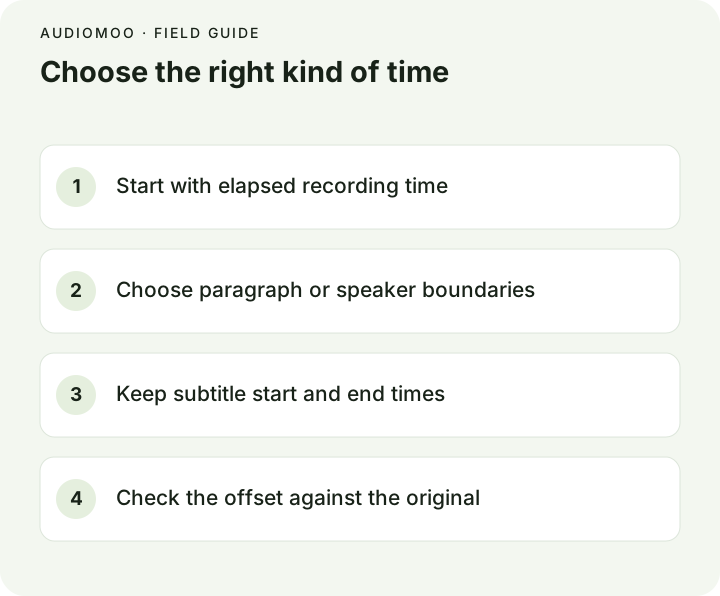
Check an offset before editing everything
When stamps seem wrong, find out what kind of wrong before changing any of them:
- Pick an unmistakable phrase near the beginning and compare its stamp with the player.
- Repeat near the end.
- Both off by the same amount: a constant offset. Usually the file was trimmed, or a different export of it was used. Shift every stamp by that amount.
- The error grows through the file: a drift. The transcript was made from a different version — re-encoded at another frame rate, or with a pause removed. Get the exact source version; shifting will not fix it.
- Wrong only in one section: something was cut or inserted there. Re-check from that point.
Subtitle editors can shift a whole SRT or VTT file by a fixed amount. Do that only for a constant offset.
Export the format your destination needs
Use audio to SRT for timed subtitle output, then play it with the original recording and check cue boundaries near the start, the middle and the end. Use audio to text for a reading copy with paragraph stamps. Both run in your browser and do not upload the file. Review names and numbers while you listen; timing and wording are separate checks. For the differences between the two subtitle formats and a converter, see SRT vs VTT.
Before you share: state the timestamp convention, keep the exact source version, and test one passage near each end of the recording.
Questions
Do I need milliseconds in a reading transcript? No. Seconds are enough for a reader to find a passage. Keep milliseconds for subtitle files, where a cue that appears a quarter of a second late is noticeable.
Square brackets or round? Either, as long as it is consistent. Square brackets are the more common convention because round brackets also appear in speech and stage directions.
Should a timestamp go before or after the speaker label? Before is easier to scan: [12:04] INTERVIEWER: …. Put it after only if a style guide asks for that.
Why does my SRT open as one long subtitle? Usually a missing blank line between cues, or a time written with a full stop instead of a comma. See how to open a VTT file for the same checks on WebVTT.
Convert seconds to a timestamp
Enter a position in the recording, in seconds from the start of the file. Decimals become milliseconds in the subtitle formats.
Hours = seconds ÷ 3600; minutes = remainder ÷ 60; the rest is seconds.