How do you open a VTT file?
Read a .vtt subtitle file in any text editor, play it with a video in VLC or a browser, and fix the five problems that stop subtitles from showing.
Try audio to srt free, in your browser →
A .vtt file is plain text, so any text editor opens it: Notepad on Windows, TextEdit on a Mac, or any code editor. To see the subtitles on a video, load the VTT file into a player together with the video it belongs to — in VLC, use Subtitle → Add Subtitle File; on a web page, add it with an HTML <track> element. Opening the VTT file alone never shows a video, because it contains only the timed text.
Read it as text
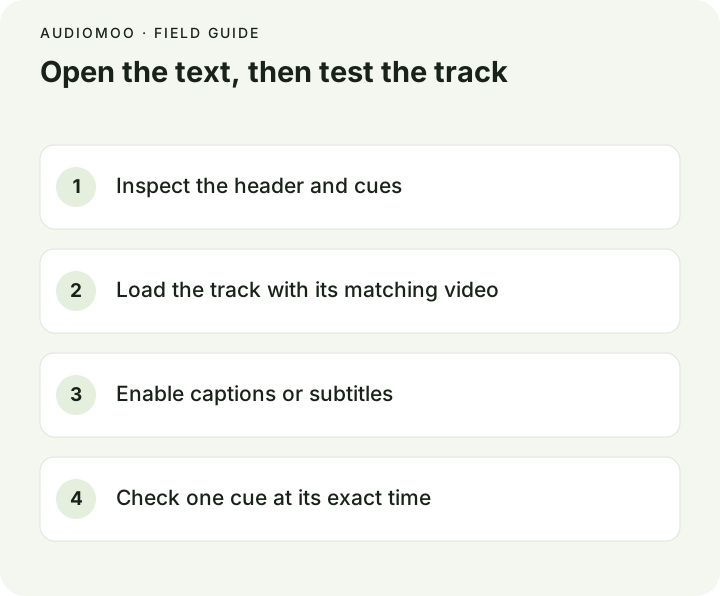
Open the file in a text editor to check what is inside. A valid WebVTT file starts with the word WEBVTT, then a blank line, then cues:
WEBVTT

00:00:01.000 --> 00:00:03.500
Welcome to the workshop.

00:00:04.000 --> 00:00:06.200
Today we will build a raised bed.
Each cue is a time range and the text shown during it. Blank lines separate cues. You may also see cue identifiers (a line of text above a time), NOTE comments, cue settings after the time such as align:start, or tags like <v Maya> for the speaker. Leave those in place; a basic sample simply does not use them.
On a Mac, TextEdit may open the file in rich-text mode. Choose Format → Make Plain Text before saving, or use a code editor, so nothing but text is written back.
Play it with the video
| Where | How |
|---|---|
| VLC (Windows, macOS, Linux) | Open the video, then Subtitle → Add Subtitle File… and choose the .vtt. If the VTT has the same name as the video and sits in the same folder, VLC usually loads it automatically. |
| A web page you control | Add a <track> element inside <video> (below). Browsers accept only WebVTT here, not SRT. |
| YouTube | Upload it as a subtitle file in YouTube Studio; WebVTT is a supported format. |
| A video editor | Import it as a captions or subtitles file if your editor supports WebVTT; otherwise convert it to SRT first. |
For a web page, the basic pattern is:
<video controls src="workshop.mp4">
  <track kind="captions" src="workshop.vtt"
         srclang="en" label="English" default>
</video>
Serve both files from a web server and test in the browser you care about. Opened straight from disk (file://), many browsers refuse to load the track, so a page that works online can look broken locally. If the VTT file is on a different domain from the page, that server must allow cross-origin requests, and the <video> needs crossorigin="anonymous".
If nothing appears
Work through these in order — they cover almost every case:
- Captions are off. Turn on CC or subtitles in the player. Without the
defaultattribute, a<track>stays off until the viewer selects it. - The header is missing or wrong. The very first line must be
WEBVTT, with nothing before it except an optional byte-order mark. - The file is really SRT. Times like
00:00:01,000with a comma, or numbered cues with no header, mean the file was renamed rather than converted. Convert it properly with the converter in SRT vs VTT. - The times do not overlap what you are watching. The cues may belong to a different cut of the video, or be offset. Jump to the time of the first cue and check. The timestamp format guide explains how to tell a constant offset from drift.
- The server sends the wrong type. A web server should serve
.vttastext/vtt. Some players reject other types.
If only the first cue shows, look for a missing blank line between cues or a malformed time further down.
Make a VTT file from a recording
To create subtitles for your own video, video to text and audio to SRT transcribe the file in your browser, without uploading it, and download the result as VTT or SRT. Review the words and timing against the video before publishing, and keep the original file alongside the subtitles.
Questions
Can I convert VTT to text? Yes: delete the WEBVTT header, the time lines and the blank lines, and what remains is the spoken text. For a readable transcript with paragraphs, it is often quicker to run the original recording through audio to text.
Is VTT the same as SRT? No. They carry the same basic information, but differ in the header, the millisecond separator and the optional features. See SRT vs VTT.
Can I edit a VTT file? Yes, in any text editor. Keep the structure intact: header, blank lines between cues, and times in HH:MM:SS.mmm form.