 Add to Chrome

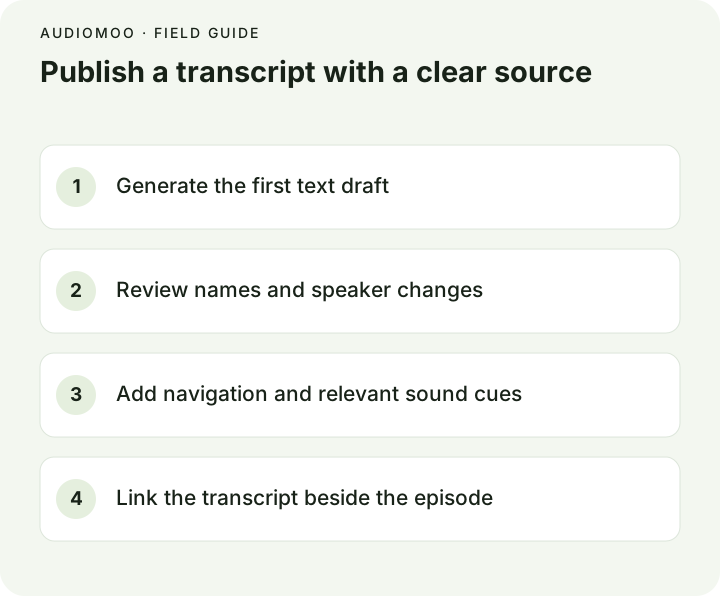
A podcast transcript is a readable text version of an episode. A good one has the episode title and a link to the audio, consistent speaker labels, a timestamp at each change of speaker or topic, and only the sound cues that change meaning. Below is a short example, the edits that turn a machine draft into it, and the two places to publish it: on your own episode page, and in Apple Podcasts through your RSS feed.
A sample reading transcript
Episode 12: A small garden with a big idea
Show: Neighbourhood Notes · Published 2026-10-20 · 31:40
Host: Sam Rivera · Guest: Maya Chen, garden volunteer
Style: clean verbatim · Times: elapsed from the start of the episode

[00:00] SAM: Welcome back to Neighbourhood Notes. Today I'm with
        Maya Chen, who helped turn an empty lot into a garden.

## Choosing the first crop
[00:12] SAM: What did you plant first?
[00:16] MAYA: Beans. We needed something the children could watch
        grow over a few weeks.
[00:24] SAM: And did it work?
[00:26] MAYA: It did. [laughs] They checked every morning.

## Finding volunteers
[03:05] SAM: How did you get people to keep coming back?
[03:09] MAYA: A Saturday shift, and coffee. Mostly the coffee.

[Sponsor message, 14:20–15:05, not transcribed]
The episode, names and dialogue are invented. A few decisions worth copying:
- Speaker labels let a reader follow the conversation without knowing the voices. Use first names or roles, consistently.
- Headings (“Choosing the first crop”) are editorial navigation, set apart from speech, so nobody thinks the host said them.
- [laughs] stays because it changes the tone of the answer; breaths, “um”s and coughs go.
- The sponsor read is disclosed rather than silently dropped, so the transcript does not claim to be complete when it is not.
What changes between a machine draft and the published text
A machine draft gets most everyday words right and fails on names, quickly spoken phrases and anything the model has rarely heard. These lines are real output from a test we ran on an audiobook excerpt, next to what was actually said:
| Machine draft | What was said | The fix |
|---|---|---|
| replied to Nooking | replied the new King | Replay; a phrase was heard as a made-up name |
| I hope he doesn’t work too hard since Shaggy. at all. | …too hard, said Shaggy. He doesn’t work at all. | A statement was missing entirely; add it from the audio |
| the Great Dome to Cavern | the great domed cavern | One word split into two |
The same happens with guests’ names, brands and in-jokes in a podcast. Two habits catch most of it: put every name you expect (host, guests, sponsors, places) into a list before reviewing, and listen for anything said that is not on the page. The proofreading checklist has the full routine.
What not to change: a guest’s wording, opinions or facts. Removing a comma to restore one continuous thought is fine; changing “beans” to “tomatoes” because it sounds better is not.
Get the first draft
Podcast to text takes an episode file, or a link: an Apple Podcasts episode page, an RSS feed, or a show’s own website that announces its feed. It fetches the episode audio in your browser and transcribes it there. Links from Spotify, YouTube and SoundCloud are not supported, because those platforms do not publish the audio file; download your own master instead. If you produced the episode, transcribing the master export is better anyway — it has no ads inserted and the best quality.
AudioMoo does not label speakers, so add SAM: and MAYA: while you listen; paragraph breaks fall at pauses and usually line up with turns. See speaker diarization for why automatic labels need checking even when a tool provides them.
Publish it on your site
Put the transcript on the episode page, below the player, as real HTML text rather than a PDF or an image, so it can be read by screen readers and found by search engines. For a long episode, add the headings as links that jump to the matching time in your player, if it supports it. The W3C’s guidance on transcripts covers what to include for accessibility, including relevant sounds and visual information if the episode has a video version.
Publish it in Apple Podcasts
Apple Podcasts generates transcripts automatically for episodes in its catalog and shows them as “Automatically generated”. You can provide your own instead: according to Apple’s podcaster documentation, Apple ingests creator transcripts through the RSS transcript tag, the app then shows them as “Provided by” your show, and a VTT file lets you name the speaker for each line. Some hosting providers add the tag for you; check yours.
In the feed, the tag sits inside each episode’s <item> and points to the transcript file:
<podcast:transcript
  url="https://example.com/episodes/12/transcript.vtt"
  type="text/vtt" language="en" />
To produce the VTT, run the episode through audio to SRT, which downloads SRT or VTT, correct it, and add speaker names. SRT vs VTT explains the format, including the <v Speaker> voice tag. After uploading, set the show to display the transcripts you provide.
Before you publish
- The first and last minutes are checked, along with every name, number and sponsor.
- Speaker labels are consistent and every turn is attributed.
- Headings are visibly editorial and timestamps point to the right places.
- Omissions (ads, cut segments) are disclosed.
- The transcript links back to the episode, and the episode page links to the transcript.
Questions
Do podcast transcripts help SEO? A transcript gives search engines text to index, which audio alone does not. Whether that brings listeners depends on whether the episode answers things people search for; headings that name the topics help.
Should the transcript be verbatim? Clean verbatim reads best for most shows: every meaningful word, without fillers. Keep exact wording for quotes you might publish elsewhere.
Can I transcribe someone else’s podcast? For personal notes, generally yes; to publish it, you need the rights holder’s permission.