Lecture transcription guide: make class recordings useful
Record, transcribe and review a lecture so the transcript is accurate and easy to study from: terminology lists, headings, timestamps, privacy and accessibility.
Try audio transcription free, in your browser →
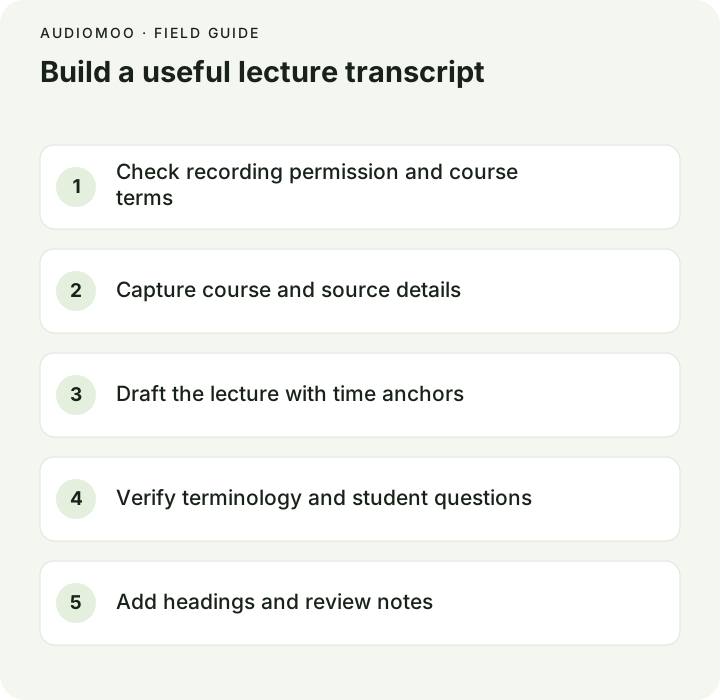
To transcribe a lecture well: get a clean recording you are allowed to make, run it through a speech-to-text tool for a first draft, then spend your effort where machines fail — specialist terms, names, numbers and student questions. Add a heading and a timestamp at each change of topic so the transcript works as a study index back into the recording. Treat it as a companion to the slides, not a replacement: anything the lecturer showed rather than said is not in the audio.
Before the lecture: permission and a good recording
Permission first. Many institutions and lecturers have rules about recording and sharing classes, and disability services may already provide recordings or transcripts as an accommodation. Ask before recording, and do not share a transcript more widely than the recording itself could be shared. In the United States, the Department of Education’s FERPA guidance says a recording that is directly related to a student and kept by the institution can be an education record, so questions and discussion involving identifiable students need care.
Recording quality decides transcript quality more than any tool does:
- Sit near the front, or put the phone or recorder near the lecturer — distance and room echo cause more errors than background chatter.
- Use a lapel or clip-on microphone if the lecturer agrees; it is the single biggest improvement.
- Record a few seconds of the room before the lecture starts, so you can tell later whether noise was there all along.
- Check storage before a long session. The calculator at the end of this page estimates file size from length and bitrate.
Draft the transcript
Upload the recording to audio to text, recording to text or, for a screen recording or lecture video, video to text. They run in your browser and do not upload the file, which matters when a lecture includes student discussion. Choose the lecture’s language rather than auto-detect if you know it.
Format limits worth knowing: MP3 and WAV of any length work; M4A, MP4 and other formats are read in one piece in the browser, which is reliable up to about 35 minutes per file. For a 50- or 90-minute lecture recorded on a phone as M4A, convert or export the audio as MP3 first, or split it in two.
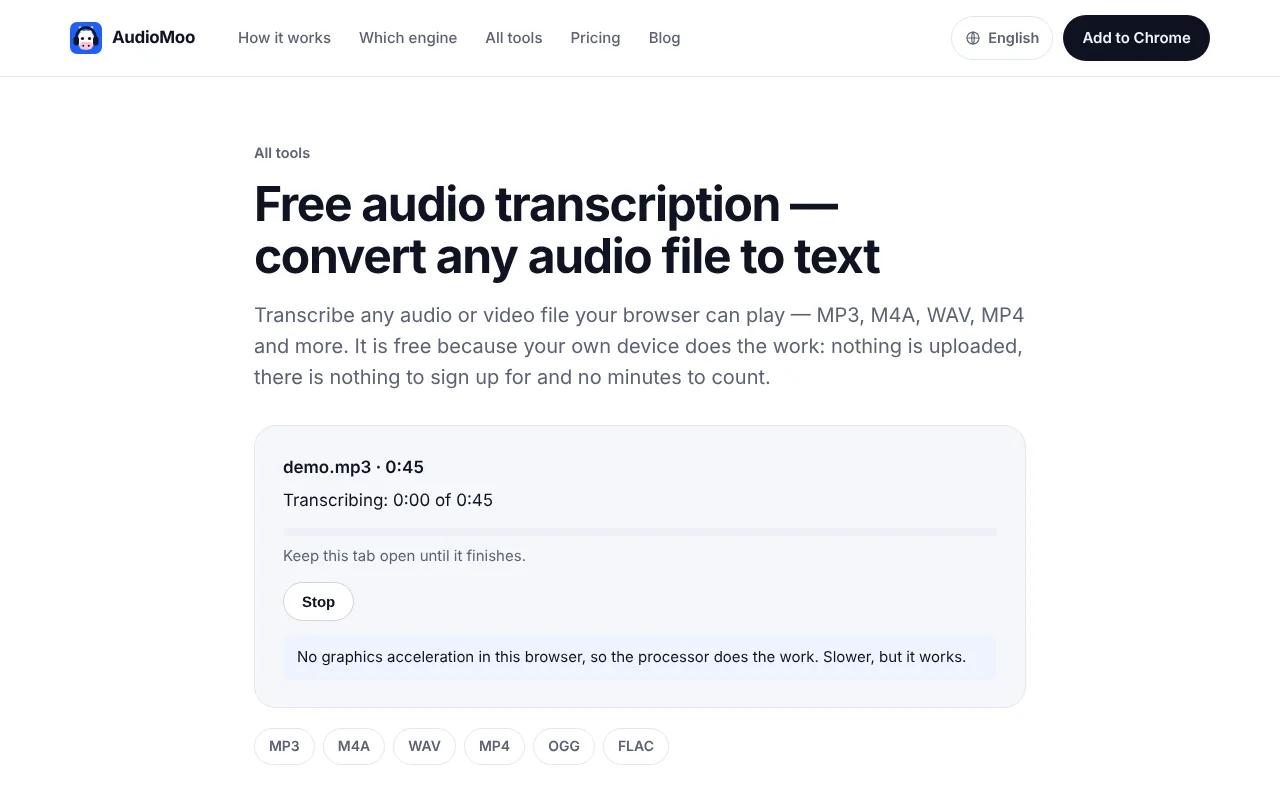
On a first run the browser downloads the speech model once; after that it is cached. How fast the rest goes depends on your computer. As a reference, in our test on a 4-core cloud machine with no graphics card, a 3-minute recording took about 43 seconds — roughly four times faster than real time — so a 50-minute lecture would take in the order of 12 minutes on similar hardware.
Review the material students rely on
A speech recognizer has never taken your course. It will recognize everyday words well and stumble on exactly the terms you most need to be right. Before reviewing, make a term list from the slides, syllabus or reading list — names, technical terms, formulas read aloud, abbreviations — and check each one where it appears.
The errors that matter most in lecture transcripts, and how to catch them:
| Error type | Example (fictional) | How to catch it |
|---|---|---|
| Technical term heard as common words | “you trophic” for eutrophic | Search the draft for each term on your list |
| Names of people and theories | “Hebbs law” for Hebb’s law | Compare with the slides and readings |
| Numbers and units | “two milligrams” for two micrograms | Replay every number |
| Negations | “does affect” for doesn’t affect | Re-listen to definitions and rules |
| Formulas read aloud | “x squared plus to x” | Rewrite in notation and mark it as yours |
| Student questions | Off-microphone, quiet, partial | Mark [question inaudible] rather than guessing |
Keep a review ledger while you go: time, what the draft says, what you checked, and whether it is resolved. Anything you cannot resolve stays visibly marked with its timestamp. The proofreading checklist gives a fuller second pass.
Make it a study document
A raw transcript is a wall of text. A few additions turn it into something you can revise from:
- Headings at topic changes. Add them as your own editorial structure — do not pretend the lecturer said “Section 2: Nutrient cycles”.
- A timestamp under each heading.
[08:35] Nutrient cyclelets you jump back to the explanation in the recording. AudioMoo already stamps paragraphs; keep the ones at topic changes and hide the rest. The timestamp guide covers formats. - Slide references. Where the lecturer says “as you can see here”, add
[Slide 14: diagram of the nitrogen cycle]in brackets so it reads as your note, not their words. - Clean, not edited. A lightly cleaned transcript (clean verbatim) reads far better than a word-for-word one, but keep the lecturer’s own wording for definitions and anything you might quote in an essay.
- Questions as their own paragraphs, labelled
STUDENT:without names unless the student agreed.
A fictional excerpt after review:
Course: Introductory Ecology · Lecture 7: Wetland succession
Source: lecture-07.mp3 · Transcript: reviewed · Time: elapsed from file start

## [00:00] Opening question
LECTURER: Why does an open pond become a marsh, and then a meadow?

## [08:35] Nutrient cycle
LECTURER: Nitrogen enters mainly through runoff. Once the water is
eutrophic — rich in nutrients — algae bloom...
[Slide 14: diagram of the nitrogen cycle]

## [21:10] Student question
STUDENT: Does the same thing happen in rivers?
LECTURER: More slowly, because the water keeps moving.
Make it accessible
If the transcript is for accessibility, a few things change. The W3C’s guidance on transcripts asks for the speech and relevant sounds and visual information; a lecture transcript for a student who cannot hear the recording needs descriptions of what was shown when it carries meaning. For video, synchronized captions are a separate requirement from a transcript: SRT vs VTT explains the caption formats, and video to text exports both. Coordinate with your institution’s accessibility office — they may have requirements on accuracy and turnaround.
Before sharing
- The lecturer and course allow the transcript to be shared with this audience.
- Identifiable student contributions are removed or anonymized where required.
- The file is labelled as draft or reviewed, with the lecture, date and source recording.
- The original recording is kept, unchanged, for as long as your institution’s rules allow.
Questions
Is it legal to record a lecture? It depends on your institution’s rules and local law, and on accommodations you may have. Ask the lecturer or your disability services office before recording.
How accurate is automatic lecture transcription? It depends mostly on the recording. A clear microphone near the lecturer gives a draft where most errors are terms and names; a phone at the back of a large hall gives many more. Expect to review either way.
Can I transcribe a lecture video from a learning platform? Only if you can download it and are allowed to. A browser tool works on a file you have; it cannot fetch video from behind a login.
Estimate compressed audio file size
Decimal MB at a constant bitrate. Container overhead and variable bitrate can change the actual size. This is not a transcription speed estimate.
Minutes × 60 × kbps ÷ 8,000 = approximate MB.